Busy routes
Take new customer details while your technicians focus on treatments.
Pest calls answered while you treat
Our pest control answering service uses an AI receptionist to take treatment calls, answer plan questions and book visits while you're on your route. Try a call in the browser demo and see the message you'd receive.
From wasp calls to plan questions, your AI receptionist takes details and books visits while you treat.
Request a 14-day free trial, up to 100 minutes.PrivacySecurity
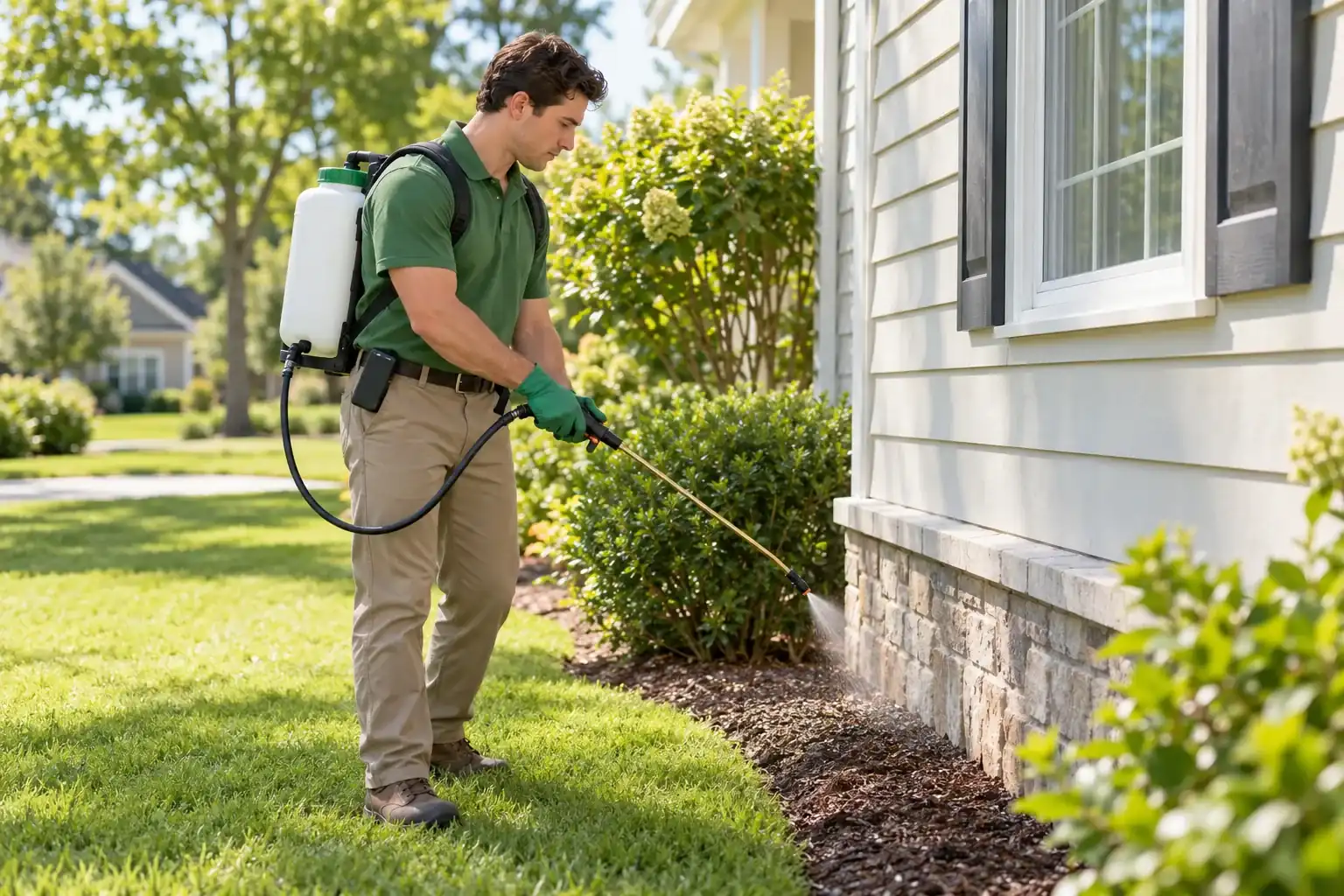
Your receptionist takes incoming inquiries when treatment work, lunch breaks or after-hours calls pull you away from the phone. It gathers the details you need for a useful callback.
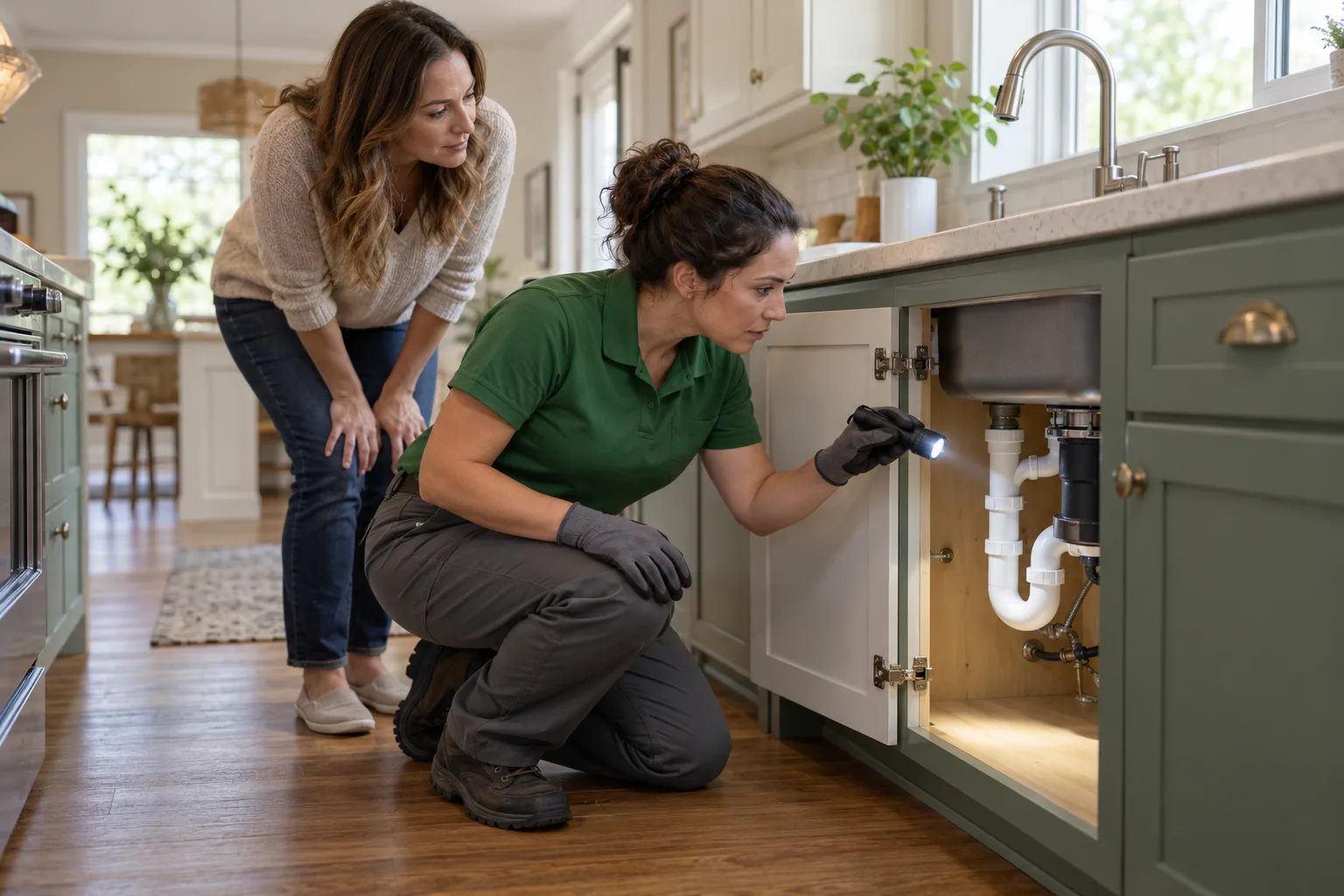
Take new customer details while your technicians focus on treatments.
Collect pest concerns and service addresses after your office closes.
Capture renewal and rescheduling requests without interrupting the current job.
A missed inquiry can mean losing the chance to discuss an inspection, a one-time treatment or a recurring plan. Your receptionist gives callers a way to explain what they need while you're occupied with the route.
During a busy stretch, forward unanswered calls instead of stopping work to check each ring. After hours, let the AI collect the pest concern, address and callback details so you can decide what comes next.
Answering starts once your calls forward to the service. You choose whether it handles all incoming calls or only the times your team needs cover.
Your receptionist asks about the pest concern, property and service needs, then applies the urgency rules you set. You receive a clear record for booking, follow-up or an urgent handoff.
Record the caller's concern, service address and reason for contacting you.
Flag situations you identify and alert your chosen on-call contact.
Review a summary, urgency tag, transcript and recording after the call.
A caller describing mice in a kitchen needs different intake from a hotel manager reporting bed bugs. We teach your receptionist your services, coverage area and questions so it can gather information relevant to the job.
You decide what needs urgent attention, such as a wasp nest blocking an entrance. The receptionist can warm transfer the call to your on-call person, who hears a short summary and presses 1 to accept, or page them in your chosen order.
For pesticide exposure or treatment safety questions, the receptionist points callers to the product label and Poison Control. It does not advise on chemical use or whether a treatment is safe.
The browser demo below lets you test fictional pest control calls and inspect the result. Listen for relevant questions, clear AI disclosure and the difference between routine requests and urgent concerns.
Describe a nest by the door and listen for urgency questions.
Ask about quarterly service and hear how the request gets recorded.
Request a new appointment time and check the details captured.
Start with a situation your office hears often, such as mice in a kitchen or a customer rescheduling treatment. Then try a commercial bed bug inquiry and listen for the details that would help your team respond.
The demo uses a fictional business, so its answers show that example's setup. Your own receptionist uses the services, price policy and urgency instructions you provide during onboarding.
Test a pesticide safety question too: the useful response is a referral to the product label and Poison Control. Use the full browser demo to explore the scenarios without signing up.
Demo business (fictional): Greenleaf Pest Control
First pick a call, then press Talk to it.
Incoming call for Greenleaf Pest Control
Wasp nest by the front door.
Took a message for the owner and saved the caller number.
Call transcript, shortened (example)
Full transcript and recording are in the dashboard.
Example of what the owner receives after a call like this.
Incoming call for Greenleaf Pest Control
Wasp nest by the front door.
Took a message for the owner and saved the caller number.
Call transcript, shortened (example)
Full transcript and recording are in the dashboard.
Incoming call for Greenleaf Pest Control
Bed bugs at a hotel.
Took a message for the owner and saved the caller number.
Call transcript, shortened (example)
Full transcript and recording are in the dashboard.
Incoming call for Greenleaf Pest Control
Quarterly plan renewal.
Took a message for the owner and saved the caller number.
Call transcript, shortened (example)
Full transcript and recording are in the dashboard.
Incoming call for Greenleaf Pest Control
Mice in the kitchen.
Took a message for the owner and saved the caller number.
Call transcript, shortened (example)
Full transcript and recording are in the dashboard.
Incoming call for Greenleaf Pest Control
Pesticide safety question.
Gave Poison Control (1-800-222-1222) and pointed to the product label and service report. No chemical advice given. Office alerted.
Call transcript, shortened (example)
Full transcript and recording are in the dashboard.
Incoming call for Greenleaf Pest Control
Reschedule a treatment.
Appointment booked: Tuesday, 10 a.m. to noon (example time). See the summary for the confirmation.
Call transcript, shortened (example)
Full transcript and recording are in the dashboard.
Forward your business number to your receptionist, which answers as your business and sends call details by email and app push. It can book into Google Calendar or take callback requests.
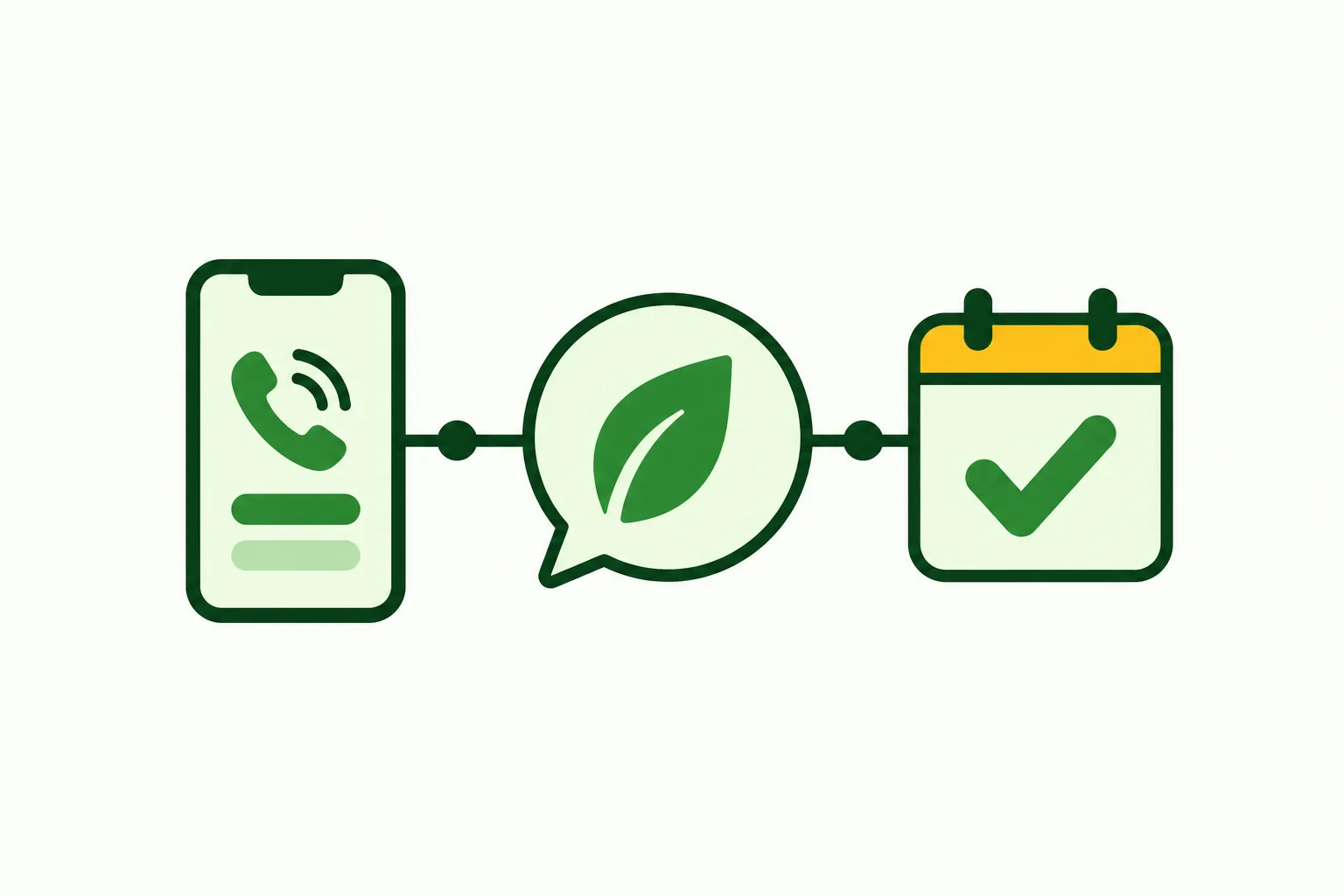
Choose all-call forwarding or coverage for busy and unanswered calls.
Use your service details, hours and price policy.
Book appointments, gather callback details or transfer urgent inquiries.
We provide a local number in your area code and a forwarding guide for your carrier or phone system. Keep the number customers already use, then choose when calls should reach your receptionist.
The greeting identifies it as a virtual assistant and tells the caller the call is recorded. From there, it follows your intake instructions and either books an appointment into Google Calendar or gathers details for your callback.
An email and app push notification bring you the summary, urgency tag, transcript and recording. You can also review calls in the dashboard and catch up through the daily digest email.
AI suits structured intake and bookings; a live receptionist brings personal judgment to conversations. Voicemail collects a caller's message without asking follow-up questions. Choose around the work you need handled during calls.
Follow your intake rules, collect details and offer appointment booking.
Speak with a person who can interpret nuance during the conversation.
Let callers leave a message for your team to review afterward.
Look at what happens between the greeting and your callback. If you need a service address, pest concern and appointment request collected in a set way, an AI receptionist gives you a workflow you can test before forwarding calls.
A live receptionist offers a person's judgment when a conversation becomes complicated or emotionally charged. Voicemail can suit a business that wants to hear messages and personally handle the next conversation.
Our AI can make mistakes, so reviewing its summaries belongs in your routine. Use a familiar inquiry in the demo and assess whether the resulting notes would help you move that job forward.
We charge $249 per month for 500 AI minutes, with extra minutes at $0.20 each. Compare that with another option's billing unit and the follow-up work your team would still handle.
Your monthly plan contains 500 AI minutes for forwarded business calls.
Additional AI minutes cost $0.20 each and are billed monthly.
Request a free trial: 14 days with up to 100 minutes before deciding.
The cost of a call depends on the option's billing method and what happens during the conversation. Ask a live answering provider how it charges for intake and transfers; for an employee, consider the time you want covered and the other duties involved.
With our plan, start from the included AI minutes and look at your actual usage in the dashboard. Call length matters when estimating how much of that allowance your route inquiries and renewal conversations will use.
See plan details and trial terms before requesting a free trial. You can test the receptionist in the browser first to assess the call itself.
The plan
$249 monthly
Case-study price: $199 per month, locked for 12 months, for 10 businesses that agree to a short case study about their results.
Get startedAdd-on services
Your receptionist sends summaries your team can enter into existing job records. Direct connections to field-service and CRM software are not live; Google Calendar appointment booking is available.
Enter call details into the software your office uses.
Check transcripts and recordings when a summary needs more context.
Offer appointments there or collect a request for callback.
If you use FieldRoutes, PestPac, GorillaDesk, ServSuite or Briostack, plan for someone on your team to enter the receptionist's summaries. A call can give you information for a customer record, but it does not create or update a job in those products.
For appointments, choose Google Calendar booking or have the AI take the requested details for your callback. That lets you decide how bookings fit with the way you arrange treatment routes.
Direct software connections are planned based on demand. Read the current software connection status when deciding what your office will need to handle manually.
Setup starts with an email sign-in link and an onboarding chat about your business. Give your receptionist its instructions, then make a test call before real callers reach it.
Explain treatments, service boundaries, hours and your approach to pricing.
Choose who gets urgent calls and the order for handoffs.
Hear the greeting and inspect the message before forwarding.
The onboarding chat asks 10 to 15 questions and uses your website to learn about your business. Explain which pests you handle, where you travel, what you do not offer and when an inquiry should reach your on-call person.
Test a routine inspection request and an urgent situation before going live. Review whether the receptionist captures the right address, follows your price policy and sends the call to the right next step.
You need a card on file before forwarding goes live. After setup, change settings by telling the AI what you want in plain words through your dashboard.
Ask how the service handles a real pest inquiry, delivers messages and responds when it lacks an answer. Check urgent handoffs, billing and cancellation before letting it answer for your business.
Use a real-world pest scenario and assess the captured details.
Ask who receives the call and how the handoff works.
Confirm billing units, cancellation steps and where calls go afterward.
Ask an answering provider to walk through a recurring plan inquiry and a one-time inspection request. Find out whether it can follow your price policy, record a preferred appointment time and explain what happens next without inventing an answer.
For urgent calls, ask what your on-call person hears and how they accept the transfer. Also ask how you retrieve the original conversation if a message needs clarification.
Apply those questions to us in the demo. Our receptionist announces that it is a virtual assistant and that the call is recorded; you can hear that disclosure and assess the intake yourself.
Your receptionist answers using the business information and rules you provide. It asks intake questions, records the caller's request and can book into Google Calendar or collect callback details. You receive an email and app push notification with the summary, urgency tag, transcript and recording.
Yes. The greeting says your receptionist is a virtual assistant and that the call is recorded. That disclosure stays on. Try the browser demo to hear how the introduction leads into questions about a pest concern, appointment request or recurring plan inquiry.
Yes. You keep your business number and forward calls to the local number we provide. Choose all calls or only busy, unanswered or after-hours calls. We supply a forwarding guide for your carrier or phone system, and you make a test call before going live.
You can give your receptionist your recurring plan information and price policy so it can answer plan questions and collect interest. It uses the information you supply for that conversation. Try a quarterly renewal in the demo, then check whether the captured request would help your team follow up.
Your receptionist directs pesticide exposure and chemical safety questions to Poison Control and the product label. It does not advise on chemical use or treatment safety. The pesticide scenario in the demo lets you hear that response before you set up your own business.
Yes. Your receptionist can book appointments into Google Calendar using your business instructions. If you prefer to arrange the route yourself, it takes the caller's details for a callback instead. Choose the approach during setup and test an inspection request before forwarding customer calls.
Your receptionist can take commercial pest control inquiries using the services and rules you teach it. The demo includes a hotel bed bug scenario so you can assess the intake. Give it your commercial service boundaries and decide which situations should reach an on-call person.
Yes. Set your urgency rules and the order of your on-call contacts. For a warm transfer, you hear a short summary first and press 1 to accept the call. The receptionist can also page your contact, according to the instructions you choose during setup.
Yes. Your receptionist speaks English and Spanish, and a caller can switch languages during the conversation. It still uses your business information and call-handling rules. Your team receives the call record through the same email and app push notifications used for other inquiries.
Start with the browser demo without signing up. Request a free trial; we email your sign-in link when ready. You'll have 14 days and up to 100 minutes to set up your own receptionist. A card is required before call forwarding goes live, and you can cancel online in one click.
Call about a wasp nest or a recurring plan, then review the intake and message. Request a free trial online; once your trial is ready, you can add your service area and booking details.